
How to Stay Organized Using Notion
Introduction
Staying organized in today’s fast-paced digital world can be challenging, especially for students, entrepreneurs, and remote workers. With multiple tasks, notes, and projects to manage, it’s easy to feel overwhelmed. That’s where Notion comes in.
Notion is an all-in-one productivity tool that helps you manage tasks, organize information, and create a system that works for your personal or professional life. In this beginner’s guide, you’ll learn how to use Notion effectively to stay organized in 2026.
What is Notion?
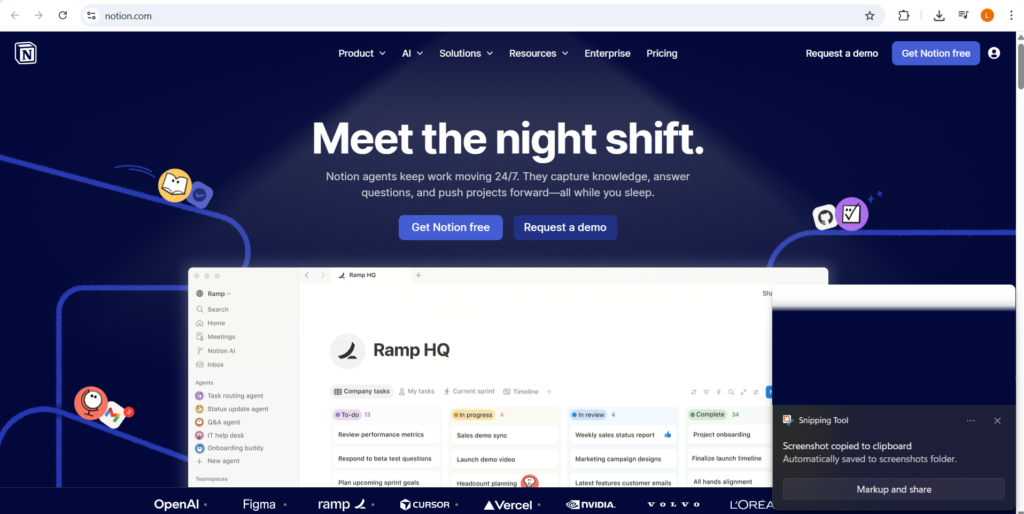
How to Stay Organized Using Notion
Notion is a flexible workspace that combines note-taking, task management, databases, and collaboration tools in one platform. Unlike traditional apps, Notion allows you to build your own system from scratch.
You can use Notion for:
- Managing daily tasks
- Creating to-do lists
- Organizing notes and documents
- Planning projects
- Tracking goals
Why Use Notion for Organization?
Notion stands out because of its flexibility and simplicity. Instead of using multiple apps, you can manage everything in one place.
Key Benefits:
✅ All-in-one workspace
✅ Customizable layouts
✅ Easy collaboration
✅ Accessible from any device
✅ Clean and minimal interface
Step 1: Set Up Your Workspace
After signing up, start by creating your main workspace. This will be your central hub for all your content.
👉 Tip: Keep your homepage simple with links to important pages like tasks, notes, and projects.
Step 2: Create a Daily Task Manager
One of the best ways to stay organized is by managing your daily tasks.
Create a To-Do List page with:
- Task name
- Due date
- Status (To Do, In Progress, Done)
You can use checklists or a simple database to track your daily activities.
Step 3: Use Databases for Organization
Notion’s database feature is powerful and flexible. You can create tables to manage different types of information.
Examples:
- Task tracker
- Project planner
- Content calendar
- Expense tracker
Databases allow you to sort, filter, and organize your data easily.
Step 4: Organize Notes and Documents
Notion is excellent for note-taking. You can create pages for different topics and organize them into categories.
👉 Example:
- Work Notes
- Study Notes
- Ideas & Brainstorming
Use headings, bullet points, and toggles to keep your notes clean and easy to read.
Step 5: Create a Weekly Planner
Planning your week helps you stay focused and productive.
Create a weekly planner with:
- Goals for the week
- Tasks for each day
- Important deadlines
This helps you prioritize tasks and manage your time effectively.
Step 6: Use Templates to Save Time
Notion offers pre-built templates for different use cases.
Popular templates include:
- Task managers
- Habit trackers
- Project boards
- Content calendars
Templates make it easier for beginners to get started without building everything from scratch.
Step 7: Track Goals and Habits
You can use Notion to track personal and professional goals.
Create a Goal Tracker with:
- Goal name
- Progress status
- Deadline
You can also create a Habit Tracker to build daily routines and stay consistent.
Step 8: Collaborate with Teams
Notion allows you to share pages and collaborate with others.
You can:
- Assign tasks
- Leave comments
- Work on documents together
This makes it ideal for teams and remote workers.
Common Mistakes to Avoid:
❌ Creating too many pages
❌ Over-customizing at the beginning
❌ Not updating tasks
❌ Ignoring templates
Start simple and improve your system over time.
Conclusion
Notion is one of the most powerful tools for staying organized in 2026. Its flexibility allows you to create a system tailored to your needs, whether you’re managing personal tasks or running a business.
By starting with simple setups like task lists, planners, and databases, you can gradually build a complete productivity system. With consistency and practice, Notion can help you stay organized, focused, and productive every day.